Table of contents9 sections
- Introduction
- Why do businesses price their services badly?
- Where to start
- Include external costs
- Protect yourself against revisions and scope changes
- Costs are costs, but how much do you want to earn?
- The quote is only the beginning
- A profitable project can also cause liquidity problems
- How Administy controls project profitability
It seems enough to define the scope of work in the project, add your margin, present the quote to the client and start work.
A good quote, however, should not answer only the question: “How much is the client willing to pay?”
So think about what this project will cost you in time, materials, software, licences, specialists’ work, revisions or travel, and how much you want to earn on it.
Why do businesses price their services badly?
The problem often stems from experience. Yes, from experience.
How many times have companies argued during pricing that they had already done a similar project before? Or assumed that if the competition charges X for such a project, we will charge Y? Or, best of all: “We should finish within 60 hours.”
This does not mean such an approach is always wrong. The pattern can work for smaller, repeatable services and budgets, where delivery takes a few days.
For larger and more complex projects, however, we should not be guided by repeatability alone. Individual calculations are needed.
Where to start
First of all, set out how many specialists you need in the project and who they will be, for example:
- designer: 80 hours,
- project manager: 15 hours,
- salesperson: 5 hours,
- person responsible for implementation: 10 hours.
Next, determine the real cost of each specialist’s work in the project.
If a specialist earns 10,000 PLN a month, this does not mean their real cost in the project is only:
10,000 PLN / 160 hours = 62.50 PLN per hour
Such a calculation may leave out, among other things, equipment, licences, contributions, taxes and other costs that fall on your side.
So if you assume a cost of 60 PLN per hour when pricing, and the specialist’s real cost of work is higher, the difference comes straight out of your margin.
Include external costs
Another matter is all external costs.
The project you deliver may involve additional licences or subscriptions, venue hire or elements needed for delivery, subcontractors or transport.
Do not forget these costs. They too should be included before you present the cost estimate to the client.
Protect yourself against revisions and scope changes
Do not forget possible rounds of revisions and changes to the scope of delivery.
You cannot predict everything, but it is worth preparing for the most common situations. A project may overrun, the client may change their mind, and the first concept may not be accepted.
That is why it is worth stating in the contract how many rounds of revisions are included in the price and which additional work will be paid for separately.
It is also important to define clearly the scope that is covered by the quote, and the work that requires an additional fee from the client.
Costs are costs, but how much do you want to earn?
Costs are one part of a quote. The other is the answer to the question of how much you want to earn on a given project.
This is where we come to margin.
In the simplest terms, margin can be calculated with this formula:
(net selling price minus the cost of delivering the service) / net selling price × 100%
The net selling price is the amount for the service excluding VAT.
The cost of delivering the service is the total value of all expenses connected with delivery, for example specialists’ hourly rates, licences, materials, software or travel.
Based on a simple example:
- The project was priced at 10,000 PLN net.
- Delivery costs came to 7,000 PLN.
- The profit is 3,000 PLN.
- The margin is:
3,000 PLN / 10,000 PLN × 100% = 30%
The quote is only the beginning
While a project is under way, it is important to monitor its situation continuously, not only after it ends.
This means that during delivery you should know:
- how many hours have already been used,
- how many hours are left until the project is complete,
- what cost has been incurred so far,
- whether the scope of the project has changed,
- whether the forecast margin is still at the planned level.
This lets you react while the project is still running, before extra costs or work start to eat into the planned margin.
A profitable project can also cause liquidity problems
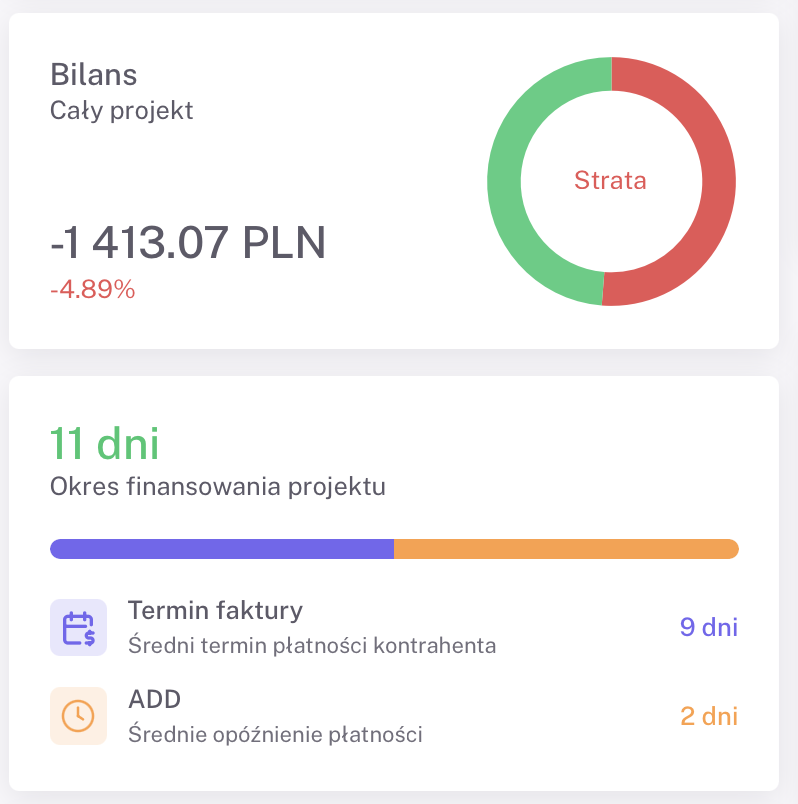
A project can be profitable and at the same time cause problems with financial liquidity.
That is why it is worth protecting yourself with advance payments or payments for individual stages of delivery. You can, for example, divide the project into stages and, after each one is completed, invoice the client for the part of the service delivered.
A liquidity problem can affect in particular companies delivering larger projects with high budgets.
A project may be profitable, but if after it ends the client has 30 to 60 days to pay, the company still has to pay salaries, bear operating costs, and settle taxes and other payables during that time.
In practice this means that for a while the company finances the delivery of the project from its own funds.
How Administy controls project profitability
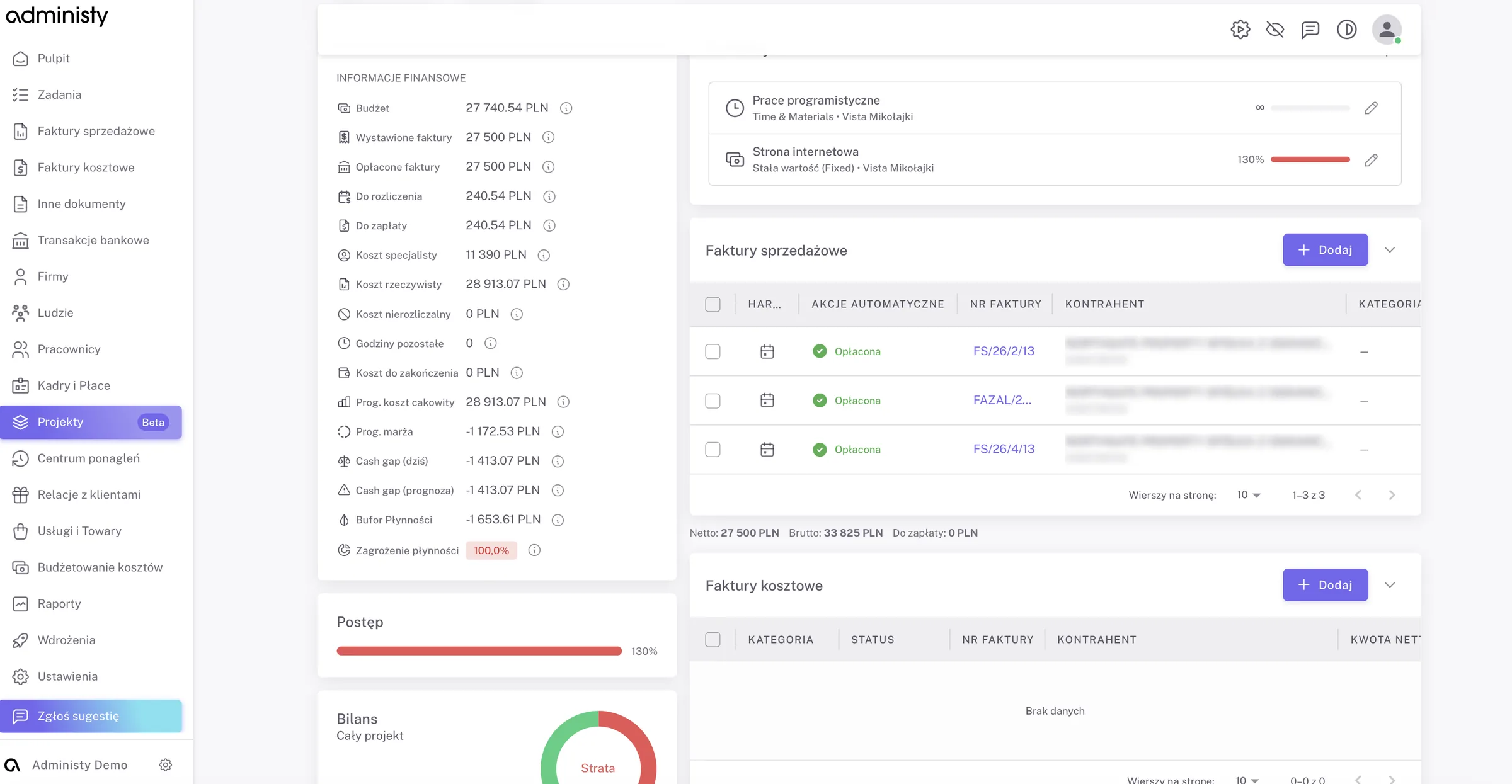
In Administy, project data can be set against the budget, invoices, labour costs and the revenue schedule.
This makes it possible to compare assumptions with how the project actually runs and to observe, among other things:
- the project budget,
- amounts invoiced and paid,
- specialists’ costs,
- actual costs,
- the forecast margin,
- Cash Gap,
- the hours remaining.
The aim is not just to show the result after the project ends.
The greatest value is being able to notice earlier that cost is starting to grow faster than assumed.